Wildlife
Problem with Adobe Photoshop 2022
0 replies 765 views
0 replies 765 views
01-24-2022, 11:21 AM
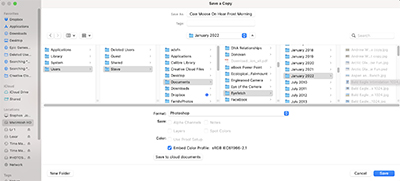
Now when I try to open a new file I have to click Macintosh, then User, then Steve, then documents, then to eye fetch, then to the Month and year and that is where I either find a file I am looking for or save to that month and year.
I have a feeling I clicked something I shouldn't have, but I have no idea how to get back to the way I would find my files before I got Adobe 2022.
Any suggestions?
Login to post a reply.
All images on this site are copyrighted by the photographers and are intended for viewing only. They are
not to be downloaded or reproduced in any way without the written permission of the photographer.
not to be downloaded or reproduced in any way without the written permission of the photographer.